 Asale
AsaleBuying with Gemini CLI
Point Gemini CLI at Asale through its dotenv file, and what that means for shells that already export the variables.
You do not need a paid Google Gemini plan to use Gemini CLI. Once the buy switch is on, its requests go through the Asale market and are served by other people's idle subscription capacity; you pay in USDT for the tokens you actually use.
This guide contains a trap unique to Gemini CLI (the environment variables in step 6) — do read it.
Time needed: about 15 minutes | The trap here: environment variables override the config
Your tool hands the question to Asale on your computer, Asale passes it to the market, and the market assigns it to some seller's computer, which asks the vendor. The machine talking to the vendor is the seller's, not yours — all you need is to reach Asale's own servers.
Step 1: Install the Asale client and sign in
Not installed yet? Work through Install the client: download → install → register and sign in on the Account page.
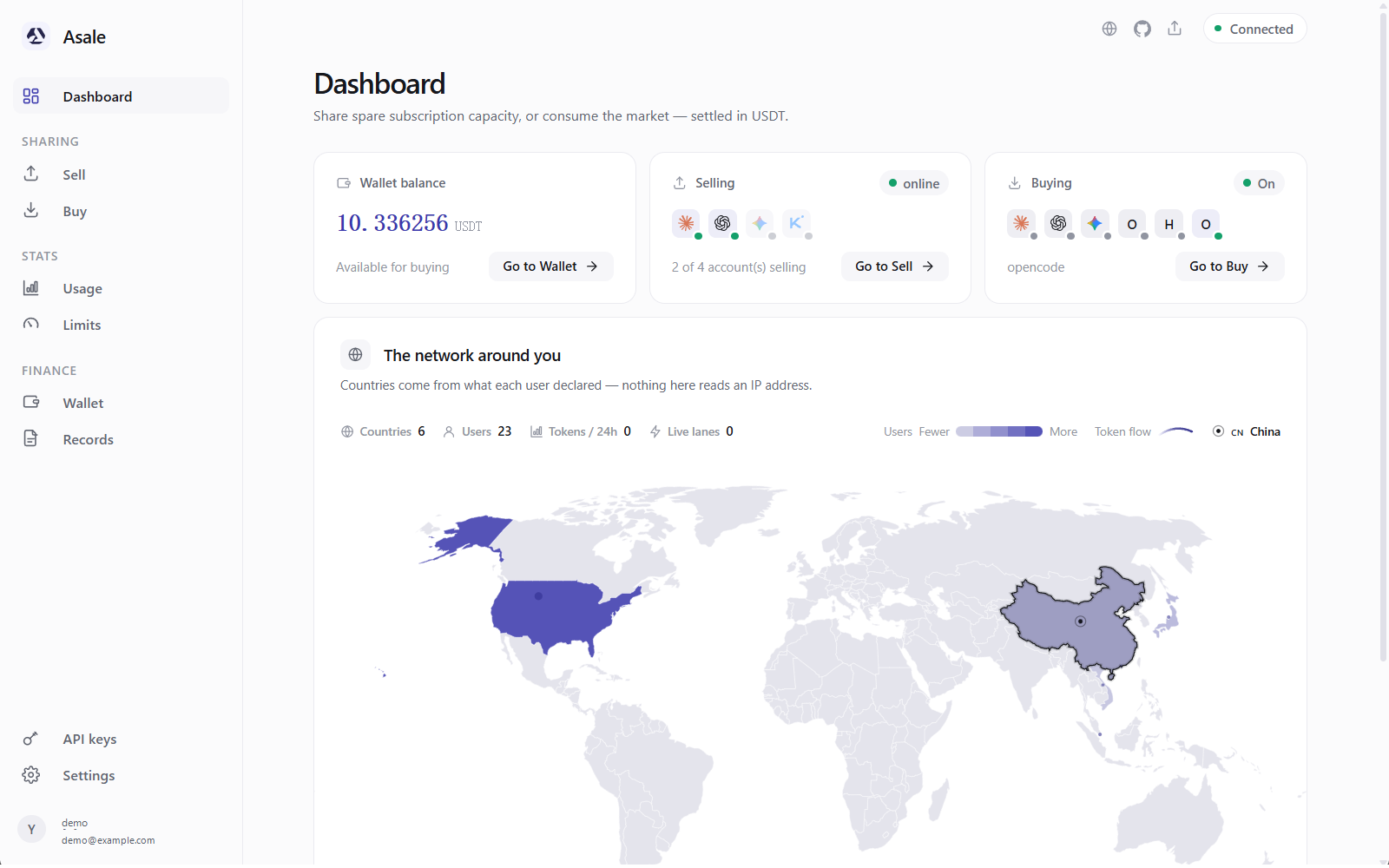
Step 2: Put some USDT in the wallet
- Wallet → Deposit → pick a chain
Wallet on the left → Deposit → pick Solana or TRON.
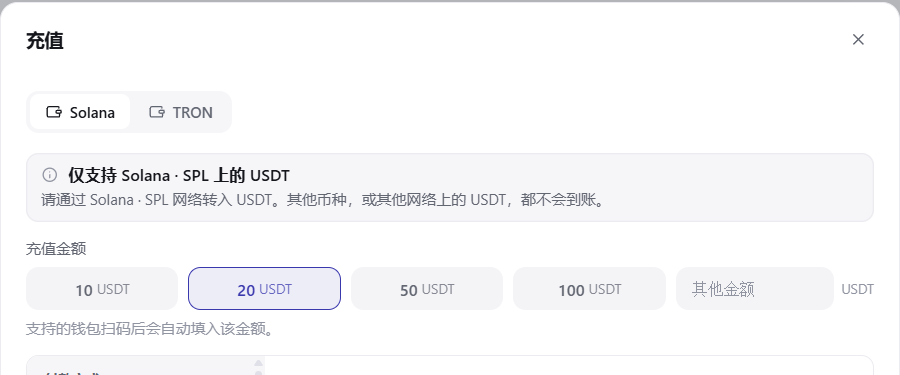
- Scan the QR code or copy the address and send
From a phone wallet, scan the QR code; from an exchange, open the USDT withdrawal page, set the network to the one you just picked, paste the address and confirm.
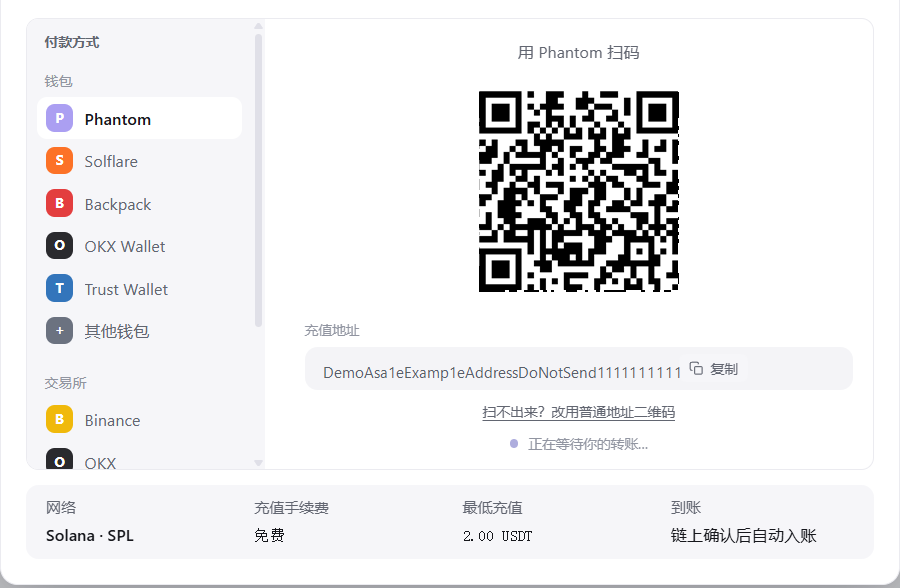
- Wait for it to arrive
Detected → confirming → added to your balance. For a first go, 5–10 USDT lasts a long time.
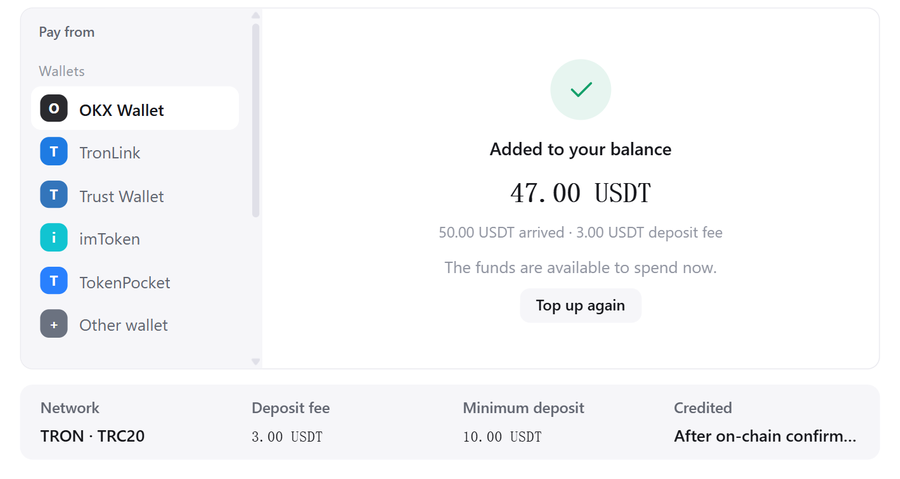 Pick the wrong chain and the money cannot be recovered
An address is bound to a chain. USDT from another network, or another coin entirely, will not arrive. Go by the network name written above the QR code.
Step 3: Install Gemini CLI on your computer
If you already have it (gemini --version prints something), skip to step 4.
3.1 Install Node.js first
- Download the LTS build
Open nodejs.org and click the green LTS button.

- Install it
Windows: double-click the
.msi. macOS: double-click the.pkg. Linux: use your package manager. - Open a new terminal and check
node -vThe window must be a new one — an old one cannot see the new PATH.
3.2 Install Gemini CLI
npm install -g @google/gemini-cli
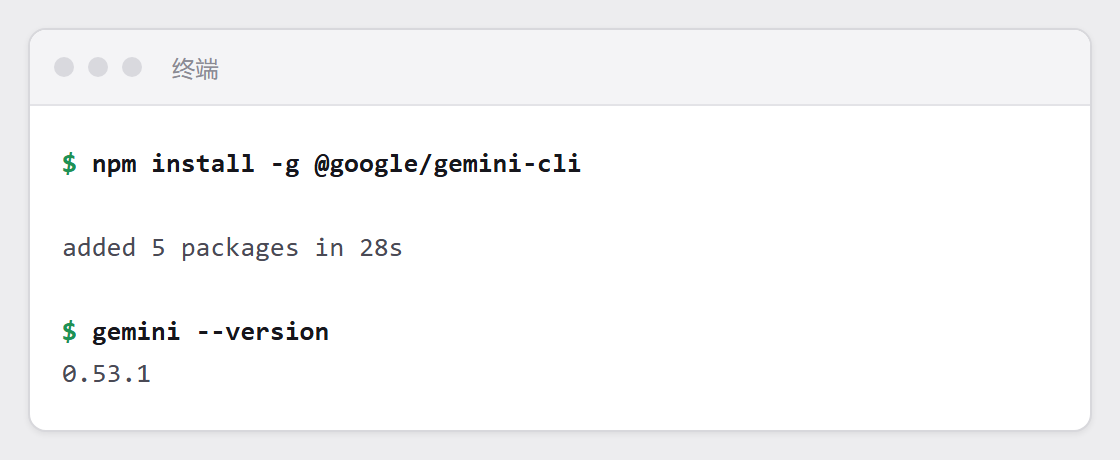
Check it:
gemini --version
If the red text contains EACCES or permission denied, it cannot write into a system directory. Do not force it with sudo — move the install location into your own home directory instead:
mkdir -p ~/.npm-global
npm config set prefix ~/.npm-global
echo 'export PATH=~/.npm-global/bin:$PATH' >> ~/.zshrc
source ~/.zshrc
npm install -g @google/gemini-cli
3.3 Do not sign into Google yet
Buying through Asale needs no Google account, so ignore the sign-in prompt after installing.
Step 4: Turn on Gemini CLI's buy switch
Turning the switch on rewrites its config. Open a fresh terminal window before you do it.
Buy on the left → find Gemini CLI → turn on Buy tokens for this tool.
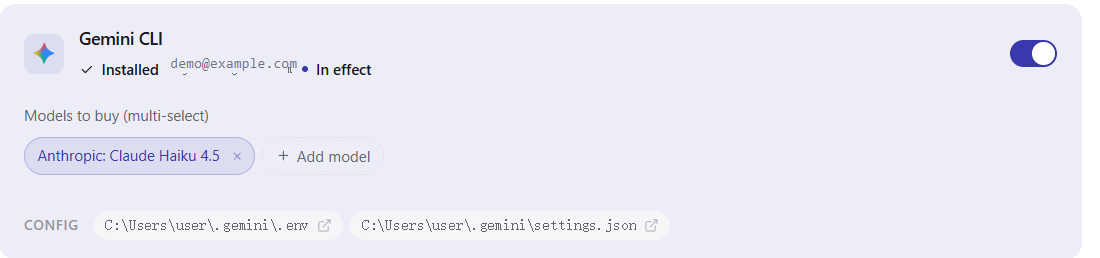
If it still says "Not detected", click Refresh.
Step 5: Tick the models you allow
Expand Models to buy (multi-select) and tick the ones you are willing to spend on; each shows its current market price.
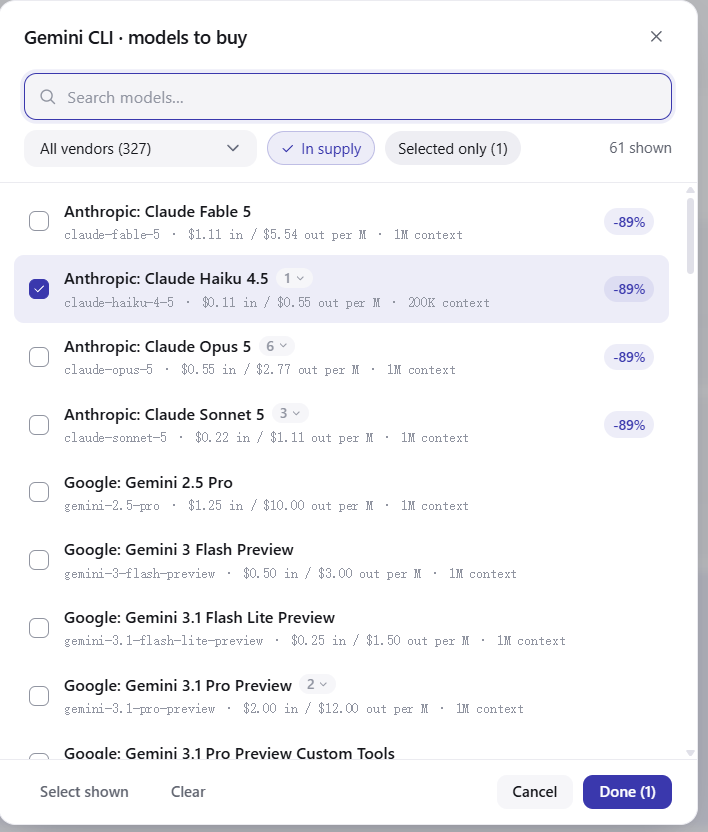
A request for a model you have not ticked is stopped on your own computer — it never goes out and costs nothing.
Step 6: Check your environment variables (unique to Gemini CLI, and easy to hit)
Asale writes its settings into the file ~/.gemini/.env. But files like that have a rule: if a variable of the same name is already set in your environment, the environment wins and the file is ignored.
Which means that if you ever set GEMINI_API_KEY in .zshrc, .bashrc, your system environment variables or CI, Gemini CLI will use that one and ignore what Asale wrote entirely — so the switch looks on while requests never touch the market.
Check in the terminal you are about to run gemini from:
echo $GEMINI_API_KEY
echo $GOOGLE_GEMINI_BASE_URL
Windows PowerShell:
echo $env:GEMINI_API_KEY
echo $env:GOOGLE_GEMINI_BASE_URL
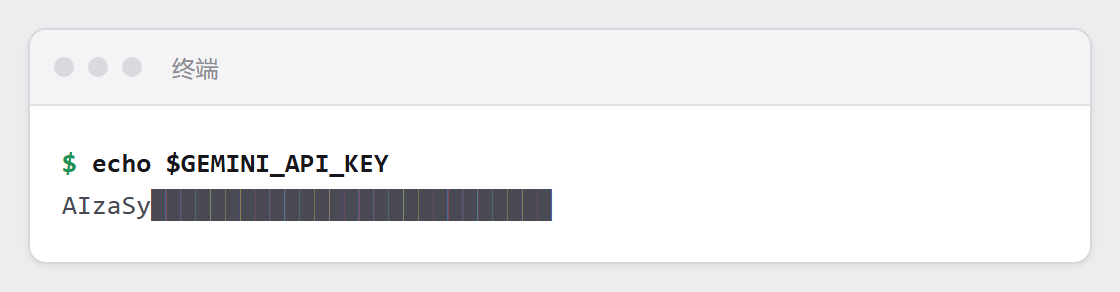
Any output (i.e. not empty) means you have hit this. Clear it:
unset GEMINI_API_KEY
unset GOOGLE_GEMINI_BASE_URL
To fix it permanently, delete or comment out those lines in .zshrc / .bashrc, then open a new window.
If Asale detects a conflicting environment variable, the Sell page raises a warning outright: "the environment variable XXX is set and will override the CLI's local credentials". When you see it, do the above.
Step 7: Restart your terminal window
~/.gemini/.env is read when the process starts. Close every Gemini CLI window and open a new one.

Step 8: Confirm it really went through the market
In the new terminal, run:
gemini
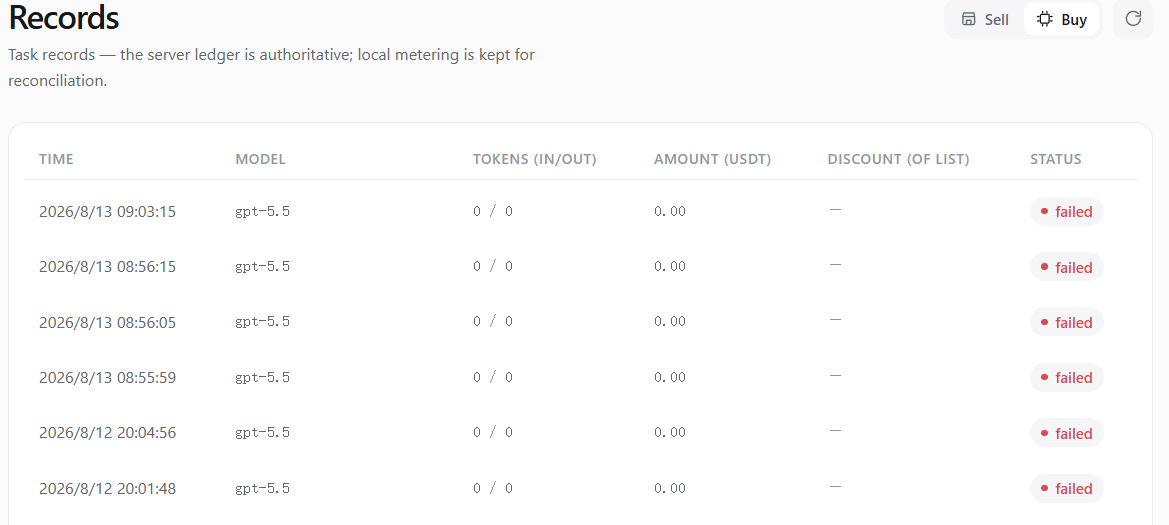
Ask anything, then go back to Asale → Records → Buy tab; that request should be there: time, model, token count, and how much USDT it cost.
What actually changed on disk
| File | Keys changed |
|---|---|
~/.gemini/.env | GOOGLE_GEMINI_BASE_URL, GEMINI_API_KEY |
Only those two lines are added, and turning the switch off removes only those two lines; anything else you wrote in that file is left untouched.
What one request costs
Before each question, the system holds an amount from your balance based on the most this could possibly cost — usually quite a bit more than it actually will. When the answer finishes, it settles at real usage and the excess returns immediately. A request that errors, produces no usage, or that you interrupt with Ctrl+C is not charged.
Turning it off again
Turn the Gemini CLI switch off on the Buy page, then restart your terminal window. Those two keys are stripped out and requests go straight to Google again.
Common questions
The switch is on but the Records page is empty? Check the environment variables in step 6 first. This is the single most common Gemini CLI problem. Next most common: not restarting the terminal.
"503 no supply"? Nobody currently has idle capacity for that model. Switch models or wait.
"402 insufficient balance" when I have money? The hold is based on the most it could possibly cost, usually quite a bit above the real figure, so a small balance gets stuck here easily. Deposit a bit more.
I have a Gemini subscription of my own — can I buy and sell at the same time? Not with the same account. While this switch is on, the Gemini account imported from this machine is automatically taken out of the sale listing.