 Asale
AsaleBuying with Hermes
The one supported tool that does not keep its config in a dot-directory under your home — which is worth knowing before you go looking for it.
Hermes is the only supported AI tool that does not keep its config under ~/.<toolname>. That sounds like a detail, but it is the single most common reason for "the switch is on and not one request has gone through". Read steps 3 and 4 before you touch anything.
Time needed: about 15 minutes | Config file: <Hermes home>/config.yaml
Your tool hands the question to Asale on your computer, Asale passes it to the market, and the market assigns it to some seller's computer, which asks the vendor. The machine talking to the vendor is the seller's, not yours — all you need is to reach Asale's own servers.
Step 1: Install the Asale client and sign in
Not installed yet? Work through Install the client: download → install → register and sign in on the Account page.
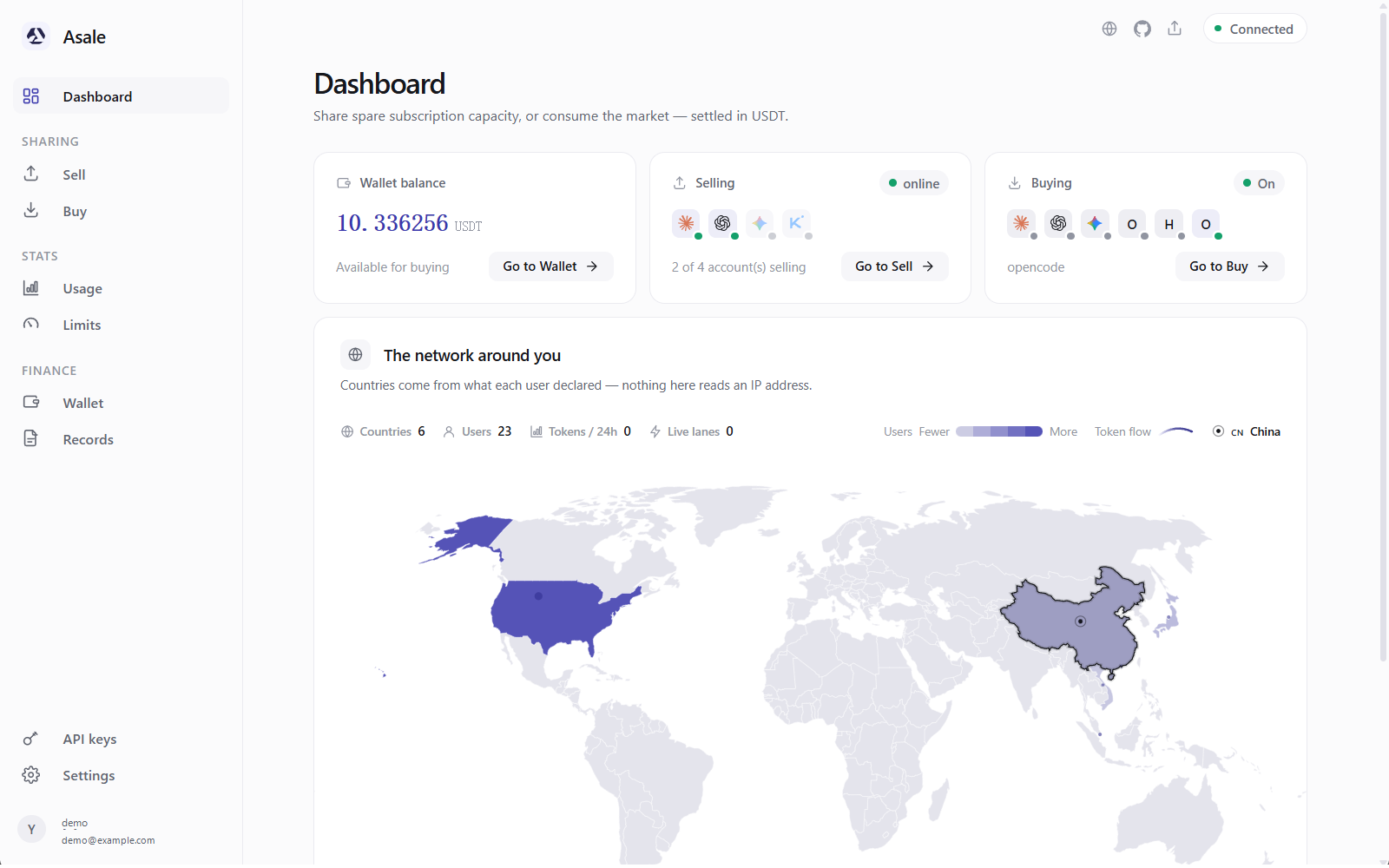
Step 2: Put some USDT in the wallet
- Wallet → Deposit → pick a chain
Wallet on the left → Deposit → pick Solana or TRON.
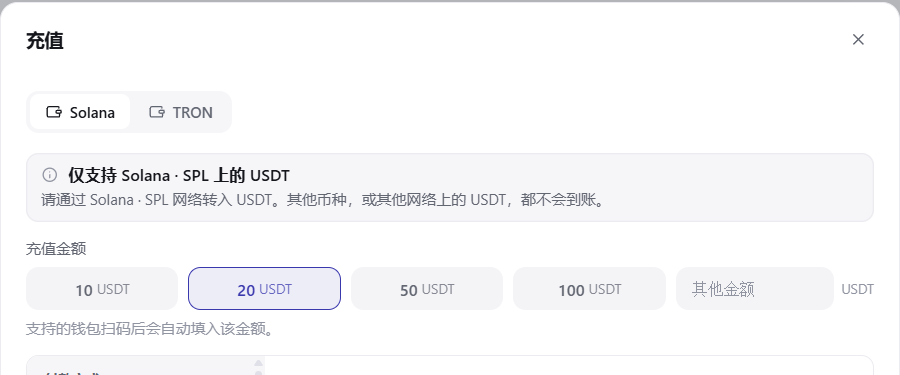
- Scan the QR code or copy the address and send
From a phone wallet, scan the QR code; from an exchange, open the USDT withdrawal page, set the network to the one you just picked, paste the address and confirm.
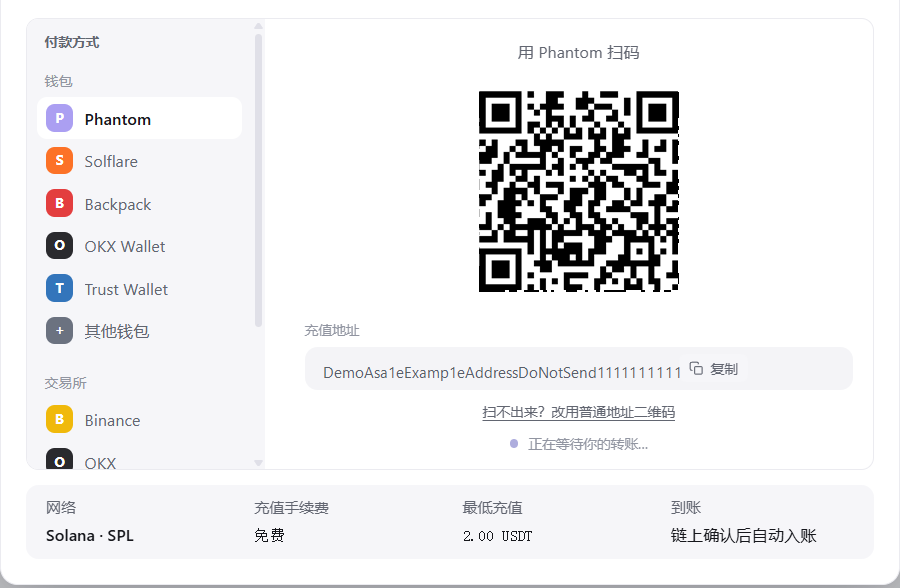
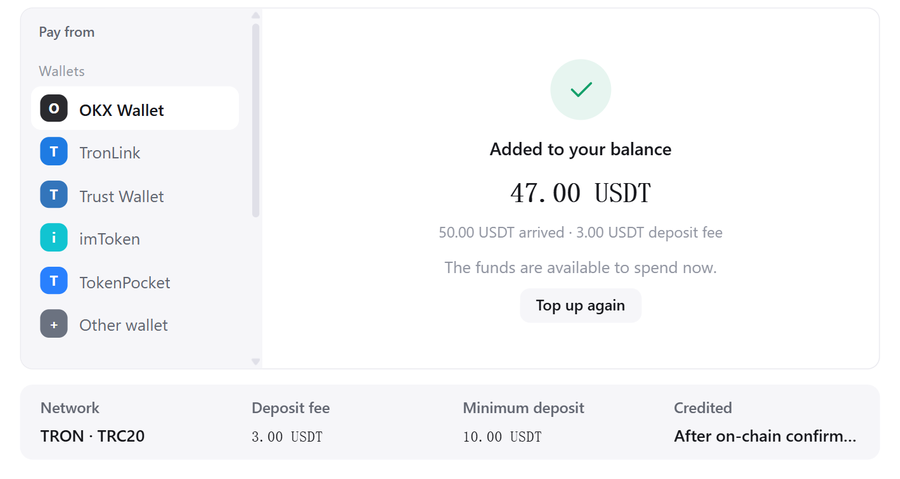
- Wait for it to arrive
Detected → confirming → added to your balance. For a first go, 5–10 USDT is plenty.
 Pick the wrong chain and the money cannot be recovered
An address is bound to a chain. Go by the network name written above the QR code on the deposit page.
Step 3: Install Hermes, then restart your terminal
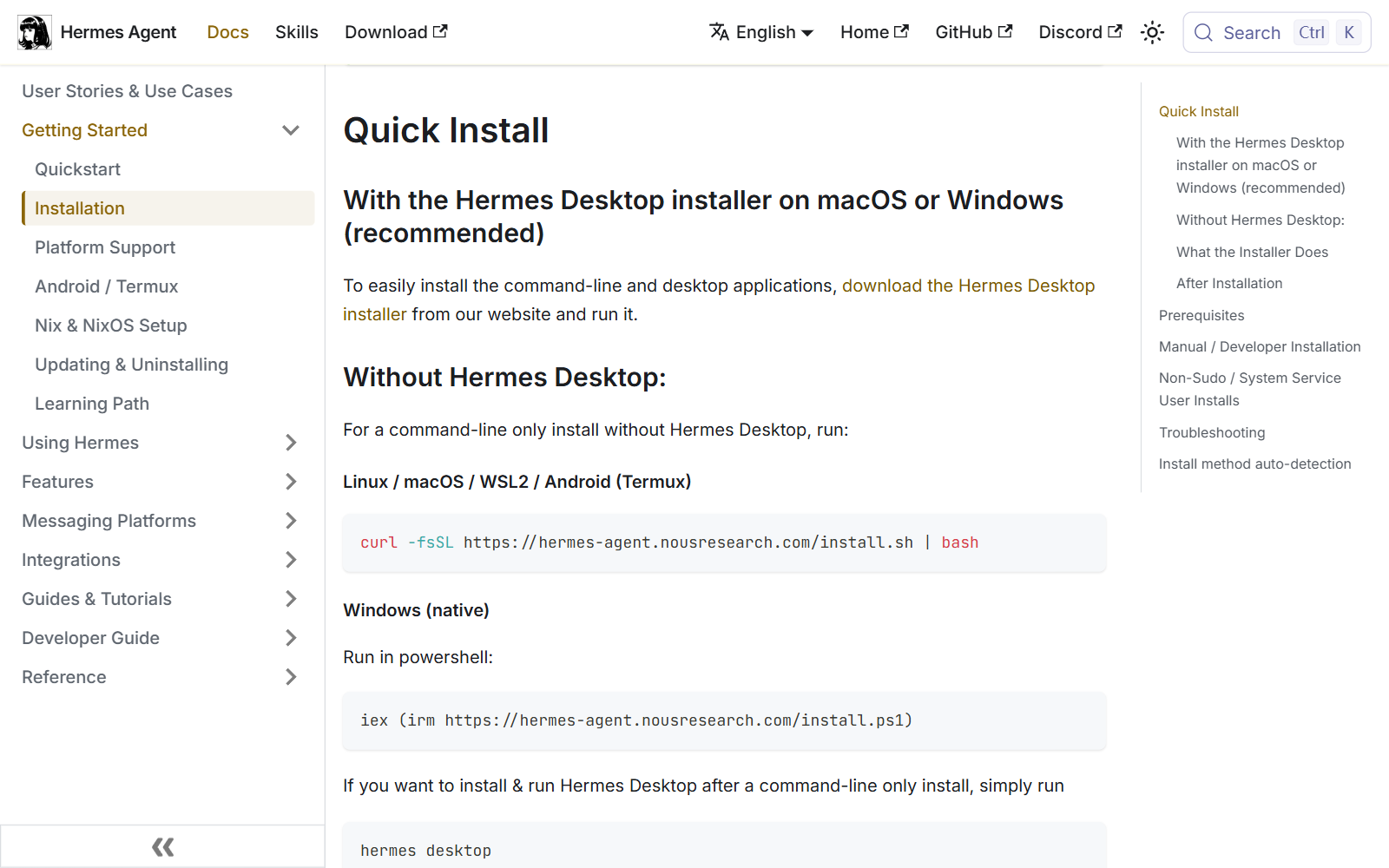
- Install Hermes following its own instructions
How it is installed is whatever the Hermes site / repository says.
- Afterwards, close every terminal window and open a new one
This step is not optional. The warning below explains why.
- Run Hermes once first
Start it once and quit, so it generates its own
config.yaml. Only with that file in place can Asale be certain where to write.Where Hermes's config actually lives — the most important paragraph on this pageEvery other tool lives in
~/.<toolname>. Hermes resolves its location in this order:HERMES_HOME, if that environment variable is set;- an existing
config.yaml— whichever of~/.hermesor%LOCALAPPDATA%\hermesalready has one; - failing both,
~/.hermes.
The trouble is rule 1: the Hermes installer writes
HERMES_HOMEas a user-level environment variable, and a terminal window that was already open before Hermes was installed does not have it.So you end up with this: Asale follows rule 3 and writes the config into
~/.hermes, while Hermes followsHERMES_HOMEand reads%LOCALAPPDATA%\hermes— the switch looks on, and nothing goes through the market.Hence: after installing Hermes and before flipping the buy switch, restart your terminal.
The default location on Windows is not ~/.hermesThe Windows installer defaults to
%LOCALAPPDATA%\hermes, i.e.C:\Users\your-username\AppData\Local\hermes.
Step 4: Turn on the buy switch, and check the path
Buy on the left → find Hermes → turn on Buy tokens for this tool.
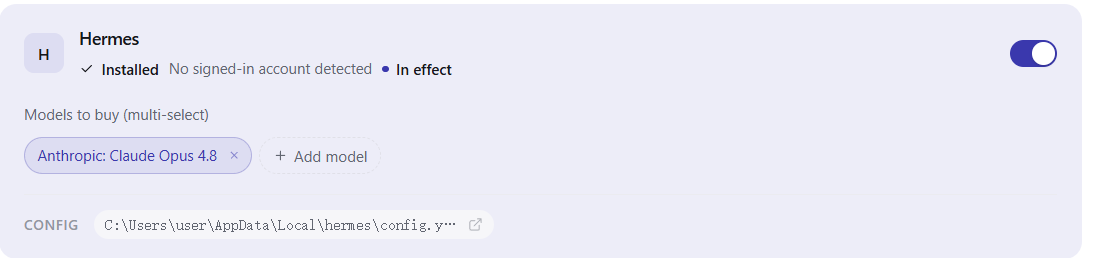
The Buy page displays the path it finally resolved to. Compare it:
- Is that path the directory Hermes is actually using?
- If your
HERMES_HOMEpoints at%LOCALAPPDATA%\hermesbut the page says~/.hermes, the client had not picked up that variable when it started.
The fix: quit the Asale client completely and start it again (so it reads the new user-level environment variable), then turn the switch back on.
When traffic never shows up, check this first.
The page has an Open config button that takes you straight to that config.yaml.
Step 5: Tick the models you allow
Expand Models to buy (multi-select) and tick the ones you are willing to spend on; each shows its current market price.
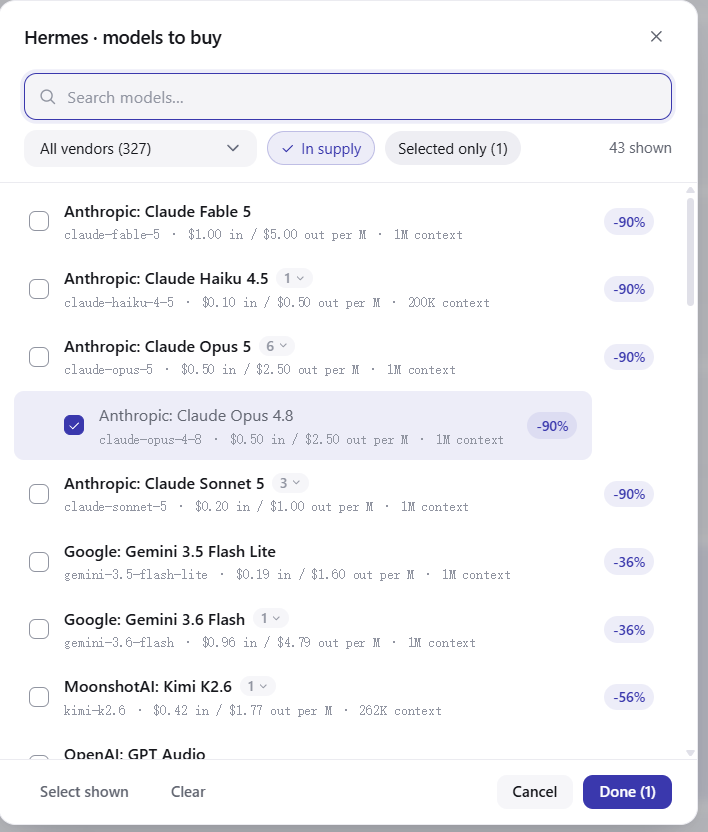
Models you have not ticked are refused locally: the request never leaves your computer and costs nothing.
Step 6: Restart Hermes
The config is read once, at startup. Quit Hermes completely and open it again.

Step 7: Confirm it really went through the market
Start Hermes, ask anything, then go back to Asale → Records → Buy tab; that request should be there: time, model, token count, and how much USDT it cost.
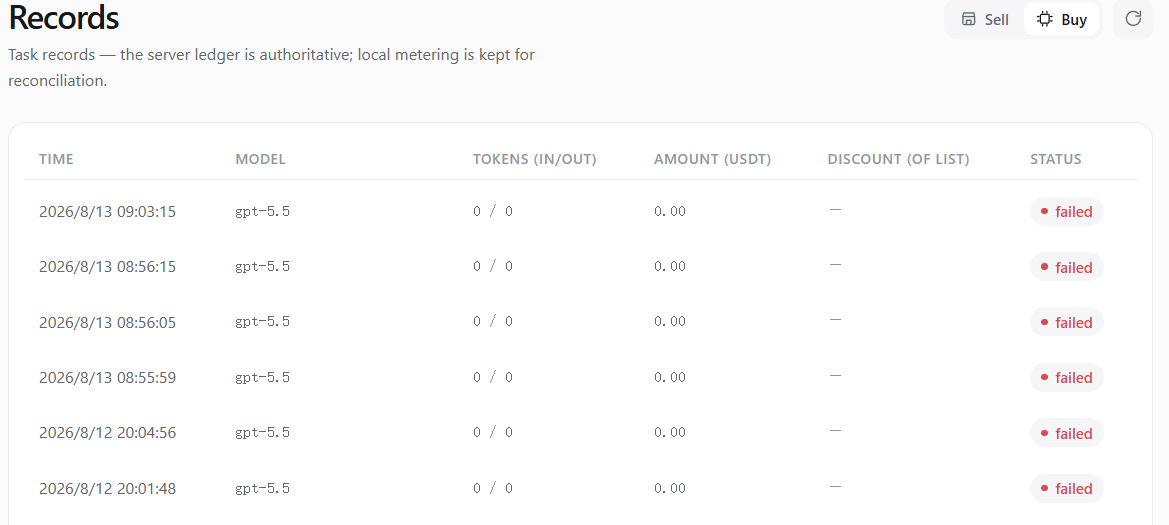
Nothing at all on the Records page — go back to steps 3 and 4 and check the path; nine times out of ten that is it.
What actually changed on disk
| File |
|---|
<Hermes home>/config.yaml |
It is YAML, and its location is not fixed (see step 3). Backed up before the first write and restored when you turn the switch off.
What one request costs
Before each question, the system holds an amount from your balance based on the most this could possibly cost — usually quite a bit more than it actually will. When the answer finishes, it settles at real usage and the excess returns immediately. A request that errors, produces no usage, or that you interrupt with Ctrl+C is not charged.
Turning it off again
Turn Hermes's switch off on the Buy page, then restart Hermes.
Common questions
The switch is on and the Records page is completely empty. Hermes's number one problem: the config was written to a directory Hermes does not read. Check the path shown on the Buy page as in step 4, quit and restart the Asale client if needed, then turn the switch on again.
How do I find out what my HERMES_HOME is?
In a terminal:
echo $HERMES_HOME
Windows PowerShell:
echo $env:HERMES_HOME
Does turning on Hermes's switch affect the other tools? No. Each tool's switch and model list are entirely independent.
"503 no supply"? Nobody currently has idle capacity for that model. Switch models or wait.
"402 insufficient balance" when I have money? The hold is based on the most it could possibly cost, usually quite a bit above the real figure, so a small balance gets stuck here easily. Deposit a bit more.